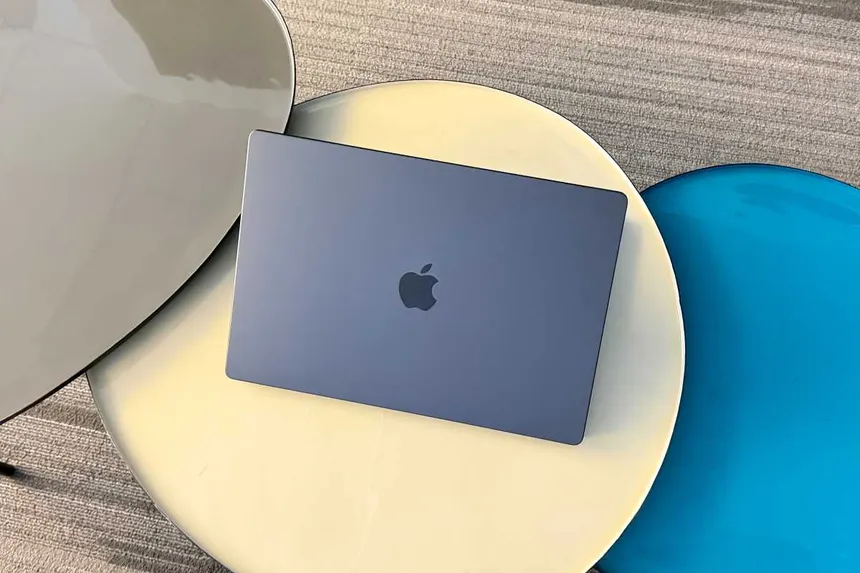
The year 2026 marks a significant milestone in the evolution of Apple Silicon. With the release of the M5 Pro and M5 Max MacBook Pro models, Apple has pushed the boundaries of what is possible in a mobile workstation. Built on a revolutionary 2nm process technology, these machines represent more than just a seasonal spec bump; they are a paradigm shift in performance-per-watt and integrated graphics capability. However, as the gap between “standard” professional work and “extreme” high-end production widens, choosing between the Pro and the Max has become a more nuanced decision than ever before.
The 2026 MacBook Pro lineup continues to refine the hardware design introduced years prior, but the real story lies beneath the keyboard. The M5 series architecture introduces GAAFET (Gate-All-Around Field-Effect Transistors), which allows for significantly higher transistor density and improved energy efficiency. This technology enables the M5 Pro to rival the previous generation’s Max chips, while the M5 Max enters a territory previously reserved for desktop-class workstations like the Mac Studio. In this comprehensive guide, we will break down the architectural differences, real-world performance metrics, and value propositions to help you decide which 2026 MacBook Pro deserves a spot in your workflow.
The Architectural Leap: 2nm Process and Beyond
To understand the difference between the M5 Pro and M5 Max, one must first understand the foundation they are built upon. The transition to the 2nm node is the most significant manufacturing change since the original M1. This smaller process allows Apple to cram billions more transistors into the same physical space, resulting in a chip that runs cooler while delivering higher clock speeds.
The M5 Pro serves as the “balanced” powerhouse. It typically features a sophisticated blend of performance cores (P-cores) and efficiency cores (E-cores). In the 2026 iteration, Apple has redesigned the E-cores to handle tasks that previously required P-cores, drastically extending battery life during everyday productivity. On the other hand, the M5 Max is a silicon behemoth, doubling down on GPU clusters and memory controllers. While the CPU architecture remains similar across both chips, the M5 Max is physically larger, designed specifically to move massive amounts of data with minimal latency.
CPU Performance: Which Core Count Matters?
For most users, the CPU is the heart of the experience. The M5 Pro usually offers up to a 12-core or 14-core CPU configuration. This is more than sufficient for software development, high-resolution photo editing in Adobe Lightroom, and complex Excel modeling. The 2026 P-cores feature an enhanced branch predictor and larger caches, making the M5 Pro feel incredibly snappy in single-threaded applications.
The M5 Max, however, scales the CPU count further, often reaching 16 or even 20 cores. While single-core performance remains identical to the M5 Pro, the multi-core performance is where the Max shines. This is critical for:
- Code Compilation: Large-scale applications that take advantage of every available thread.
- 3D Rendering: CPU-based rendering engines that scale linearly with core counts.
- Virtualization: Running multiple virtual machines (VMs) simultaneously without system lag.
If your daily tasks involve heavy multitasking or background processing while you work in the foreground, the additional headroom of the M5 Max ensures that the system never “stutters,” even under extreme thermal pressure.
The GPU Battle: Graphics and 3D Power
The most glaring divide between these two chips is the Graphics Processing Unit (GPU). The M5 Pro is designed for “standard” creative professionals. With support for hardware-accelerated Ray Tracing and Mesh Shading (now in their third generation by 2026), it can handle 4K video editing and mid-level 3D design with ease. It is the perfect chip for a graphic designer or a social media content creator.
The M5 Max is a different beast entirely. It often features double the GPU cores of the Pro model. For 2026, Apple has introduced a Dynamic Caching architecture that is even more efficient, allowing the GPU to allocate local memory in real-time more effectively. This makes the M5 Max the go-to choice for:
- 8K Video Production: Editing multiple streams of 8K ProRes RAW footage without the need for proxies.
- High-End 3D Animation: Working in Cinema 4D or Blender with complex textures and lighting environments.
- AAA Gaming: While still a niche for Mac, the M5 Max provides the raw horsepower to run modern titles at high refresh rates on the MacBook’s Liquid Retina XDR display.
Unified Memory and Bandwidth: The Hidden Performance Killer
A spec often overlooked by casual buyers is Memory Bandwidth. This is the speed at which the chip can access the Unified Memory. The M5 Pro typically offers around 200GB/s to 300GB/s of bandwidth. While that is astronomically faster than most Windows laptops, it pales in comparison to the M5 Max.
The M5 Max pushes bandwidth to 400GB/s or even 800GB/s. Why does this matter? For Artificial Intelligence (AI) and Large Language Models (LLMs), memory bandwidth is the primary bottleneck. In 2026, as local AI processing becomes a standard part of the macOS experience, the M5 Max allows users to run massive AI models locally with near-instantaneous response times. Furthermore, the M5 Max supports much higher ceilings for total Unified Memory, often reaching 128GB or 192GB, whereas the M5 Pro usually tops out at 64GB or 96GB.
Battery Life and Portability: The M5 Pro’s Secret Weapon
While the M5 Max wins in raw power, the M5 Pro is often the superior choice for the “mobile” professional. Because the M5 Max has a larger silicon die and more active transistors, it naturally consumes more power, even when idling. The M5 Pro is the efficiency king of the 2026 lineup.
Users who frequently work from coffee shops, airplanes, or remote locations will find that the M5 Pro provides 2-4 hours of additional battery life compared to the Max under similar workloads. The thermal profile of the M5 Pro is also more conservative. In the 14-inch chassis, the M5 Pro can maintain peak performance longer without the fans ramping up to audible levels. The M5 Max in a 14-inch body, while impressively cooled, is more prone to thermal throttling during sustained heavy exports compared to its 16-inch counterpart.
Who Should Buy the M5 Pro?
The M5 Pro is the “Pro” laptop for 90% of professional users. It strikes a perfect balance between power, price, and portability. You should choose the M5 Pro if you are:
- A Software Engineer: Whether you are developing for iOS, Web, or Enterprise, the M5 Pro offers incredible compile times and enough RAM for Docker containers and local servers.
- A Photographer: Processing thousands of RAW images in specialized software is handled effortlessly by the M5 Pro’s Neural Engine and CPU.
- A Student or Academic: If you need a machine that will last five to seven years and handle everything from research to light creative work.
- A Corporate Power User: If your day consists of massive spreadsheets, dozens of Chrome tabs, and constant video conferencing, the M5 Pro will stay silent and cool.
Who Should Buy the M5 Max?
The M5 Max is not just a laptop; it is a portable studio. It is designed for those whose time is literally money, and where every second saved in a render queue translates to profit. You should choose the M5 Max if you are:
- A Professional Video Editor: Working with 8K footage, complex color grading in DaVinci Resolve, or heavy Motion Graphics.
- A 3D Artist/Architect: Using CAD software, Octane Render, or Unreal Engine 5 for real-time visualization.
- An AI/ML Researcher: Training small models or running large-scale inference locally where high VRAM (Unified Memory) is a requirement.
- A “No-Compromise” User: If you simply want the fastest possible performance available in a laptop and price is a secondary concern.
Display and Connectivity: Are There Differences?
Fortunately, Apple does not gatekeep the display quality behind the chip choice. Both the M5 Pro and M5 Max MacBook Pros feature the stunning Tandem OLED Liquid Retina XDR display (introduced in earlier iPad Pro models and refined for the Mac by 2026). This means you get 1,600 nits of peak brightness, 1,000,000:1 contrast ratio, and ProMotion 120Hz regardless of the silicon inside.
However, there is a difference in External Display Support. The M5 Pro typically supports up to two external displays via Thunderbolt. The M5 Max, thanks to its beefier display engine, supports up to four external displays. For users with elaborate desk setups involving multiple 5K or 6K monitors, the M5 Max is a technical necessity.
The Value Proposition: Price vs. Performance
In 2026, the price gap between the M5 Pro and M5 Max remains significant, usually ranging from $500 to $1,000 depending on the memory configuration. When evaluating the return on investment (ROI), the M5 Pro is objectively the better value for most. The performance gains of the M5 Max are specific to GPU-accelerated tasks. If your work is primarily CPU-bound or memory-capacity bound, you might be better off buying an M5 Pro and upgrading the Unified Memory to 64GB rather than spending that same money on the M5 Max’s extra GPU cores.
Conversely, for the high-end creative, the M5 Max pays for itself. If a render that takes 20 minutes on an M5 Pro takes only 10 minutes on an M5 Max, and you perform that render ten times a day, you are saving nearly an hour of billable time every single day. Over a year, that is hundreds of hours of reclaimed productivity.
Final Verdict: Which 2026 MacBook Pro is for You?
As we look at the landscape of 2026 computing, the M5 Pro stands as the ultimate versatile tool. It is thin, light enough for travel, and possesses more power than the average professional will ever fully exhaust. It is the sensible choice that doesn’t feel like a compromise.
The M5 Max is a specialized instrument. It is built for the frontiers of technology—AI, high-end cinema, and complex 3D simulation. It sacrifices a bit of battery life and portability for a level of power that was unthinkable in a laptop just a few years ago.
Choose the M5 Pro if: You want the best laptop in the world for general professional use, with the best battery life and a silent operating experience.
Choose the M5 Max if: Your workflow involves heavy GPU utilization, you need more than 64GB of RAM, or you need to drive a wall of external monitors. In 2026, the Max is no longer just a luxury—for the right professional, it is an essential piece of industrial equipment.
Ultimately, both machines benefit from the 2nm revolution, ensuring that whichever model you choose, you are getting a piece of hardware that will remain relevant and highly capable well into the 2030s. Apple has once again widened the gap between the Mac and the PC, leaving the choice of “how much power is enough” entirely in your hands.